Autoplay
Click on the 'Customize' on the Tools menu. To invoke Customize from the keyboard press Control + U.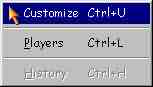 Click on the Animation & Sound tab. Then click on the Autoplay Move check box.
 This will enable sound when autoplay is performed. If you don't want sound for autoplay, leave the check box as such.